How to connect Coworkintel and Officernd?
Step 1
The first step would be to add an "Application".
You can do that by going to your Officernd admin dashboard and go on Settings/Developer Tools. On this page, you'll be able to see a list of all the applications that have been created.
You will need to create a new application and specify a "Name", "Description", an "Image"(if you decide to upload an image for easier differentiation between the applications) and "Permissions".
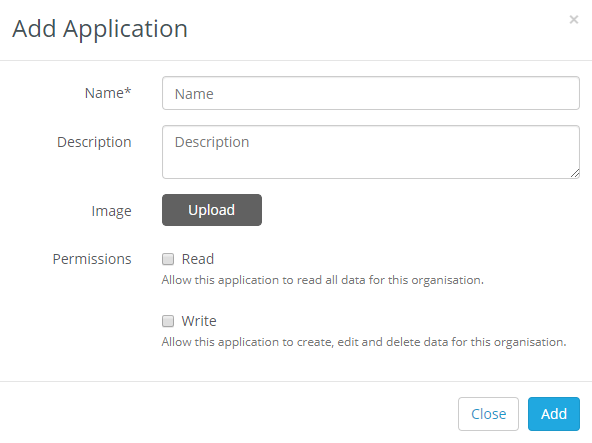
For that you can use:
- Name: Coworkintel
- Description: Advanced reporting and market intelligence data
- Image: https://pbs.twimg.com/profile_images/1225785220219187205/ACWWxSAu_400x400.png
The "Permissions" are the most important part of the creation as they determine whether you'll be able to use the application to "Read", "Write" or both.
In our case, we will only need a "Read" authorization.
Step 2
Once you create the application you'll have two buttons next to it - "Configure" and "View:
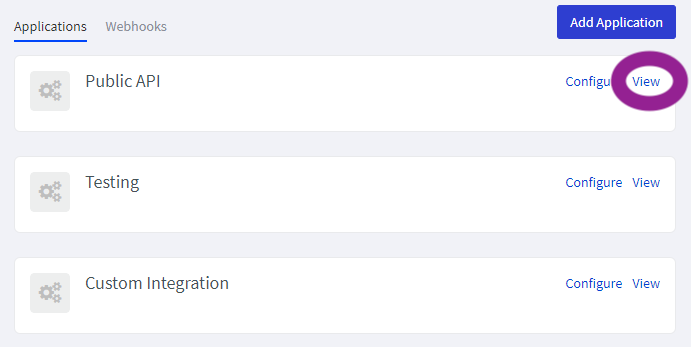
Click on View to obtain the values to enter in the next step.
Step 3 (last)
Go to your Coworkintel account, select Account/Integrations:
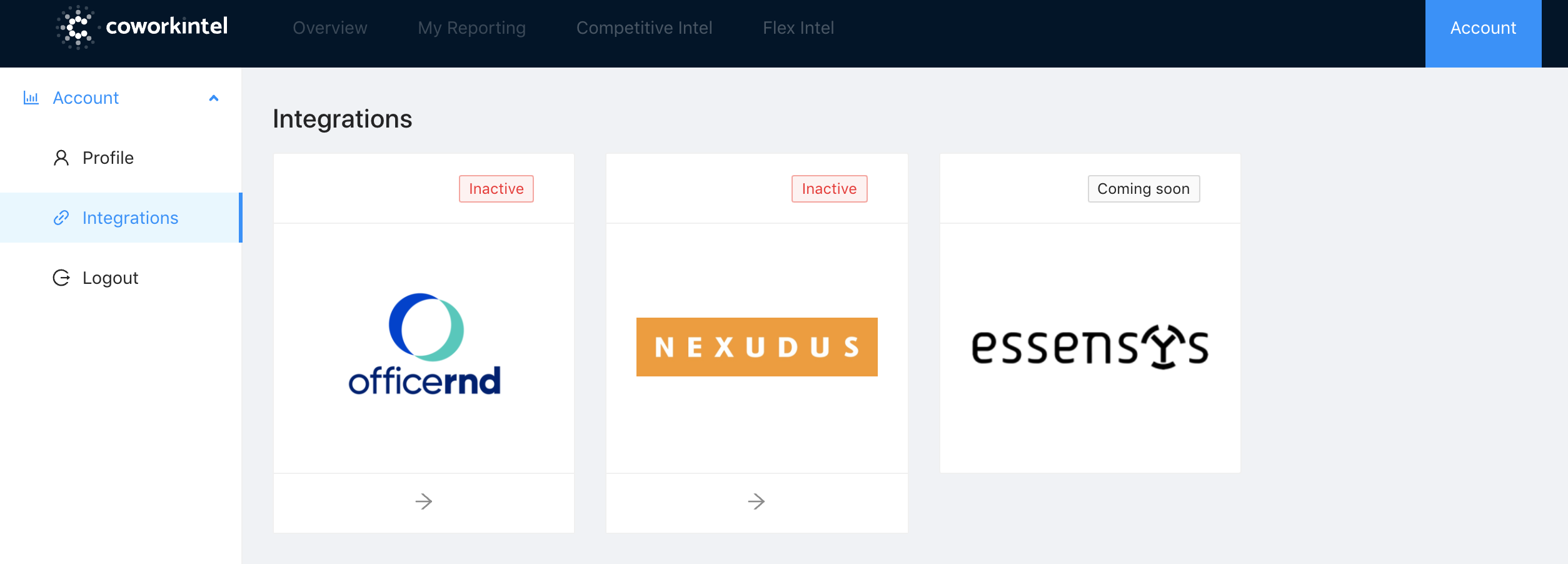
Choose Officernd and fill in the information with the information from Step 1 ("Client ID" and "Client Secret".)
You can put the name of your company for the "Organization" field, this is just for reference.
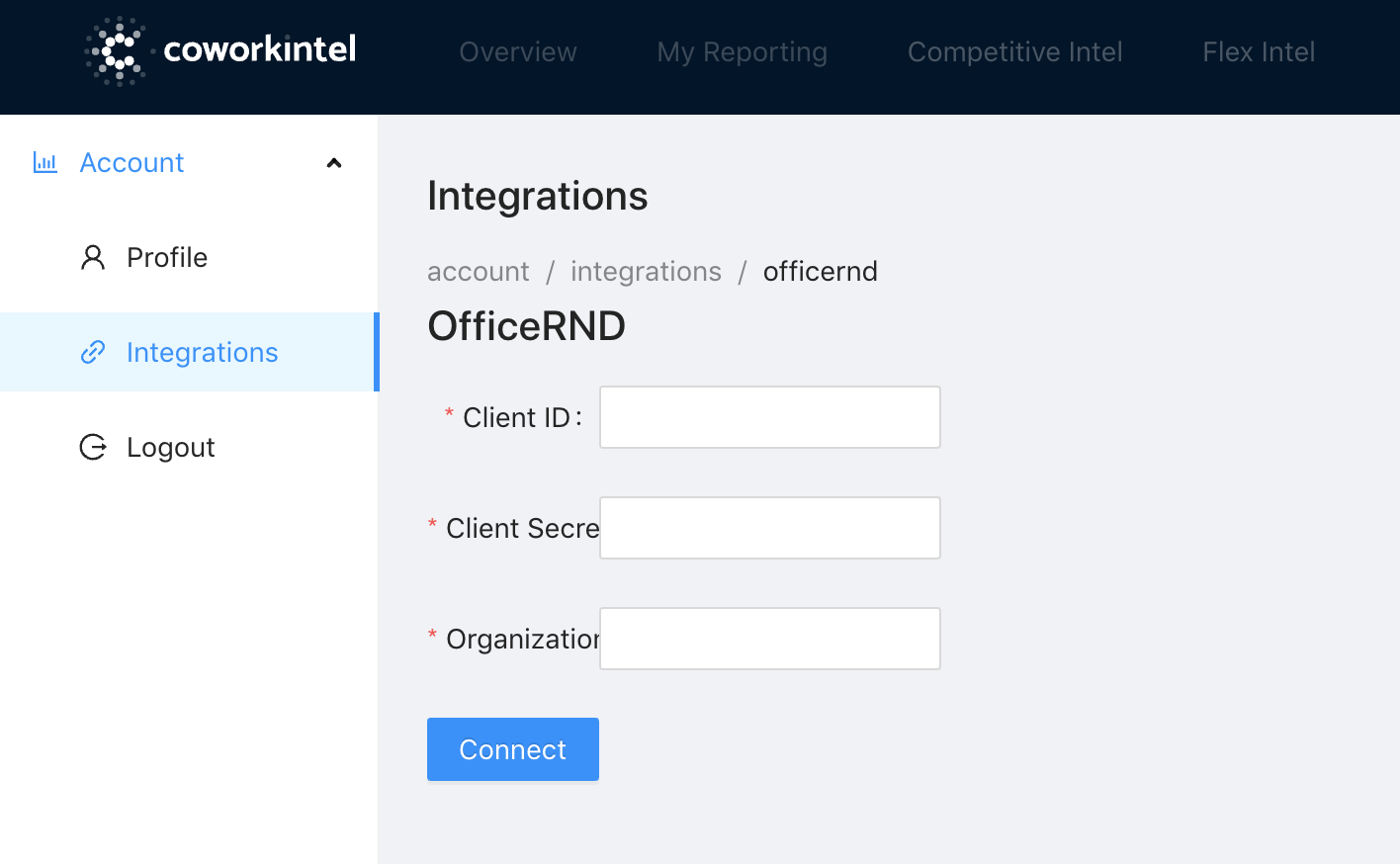

You are all set!