How to connect manually?
Step 1
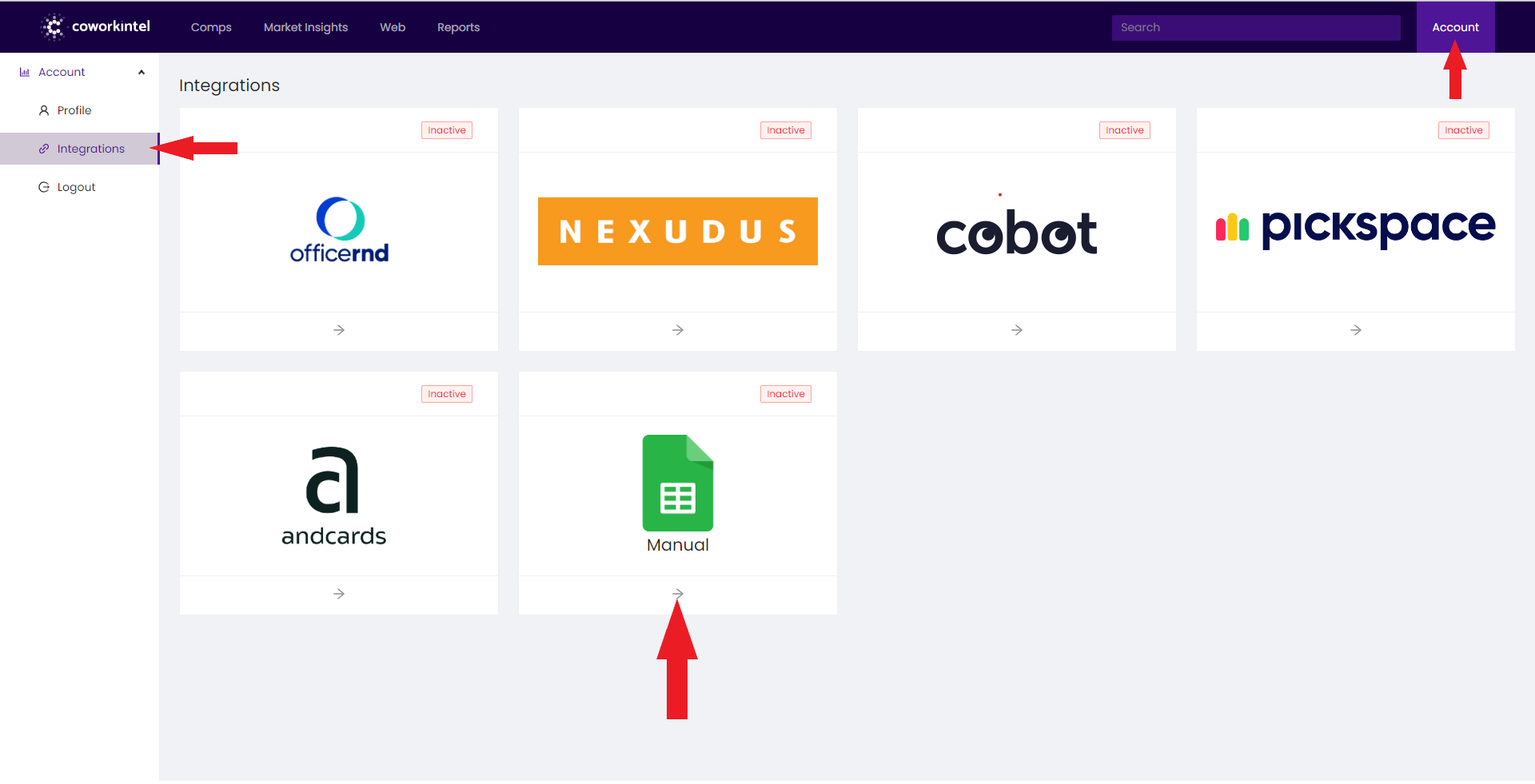
Go to your Coworkintel account on the top right corner of your dashboard and select Account/Integrations, then choose Manual in the menu.
Step 2
Please enter your “Coworking Name” in the empty field.
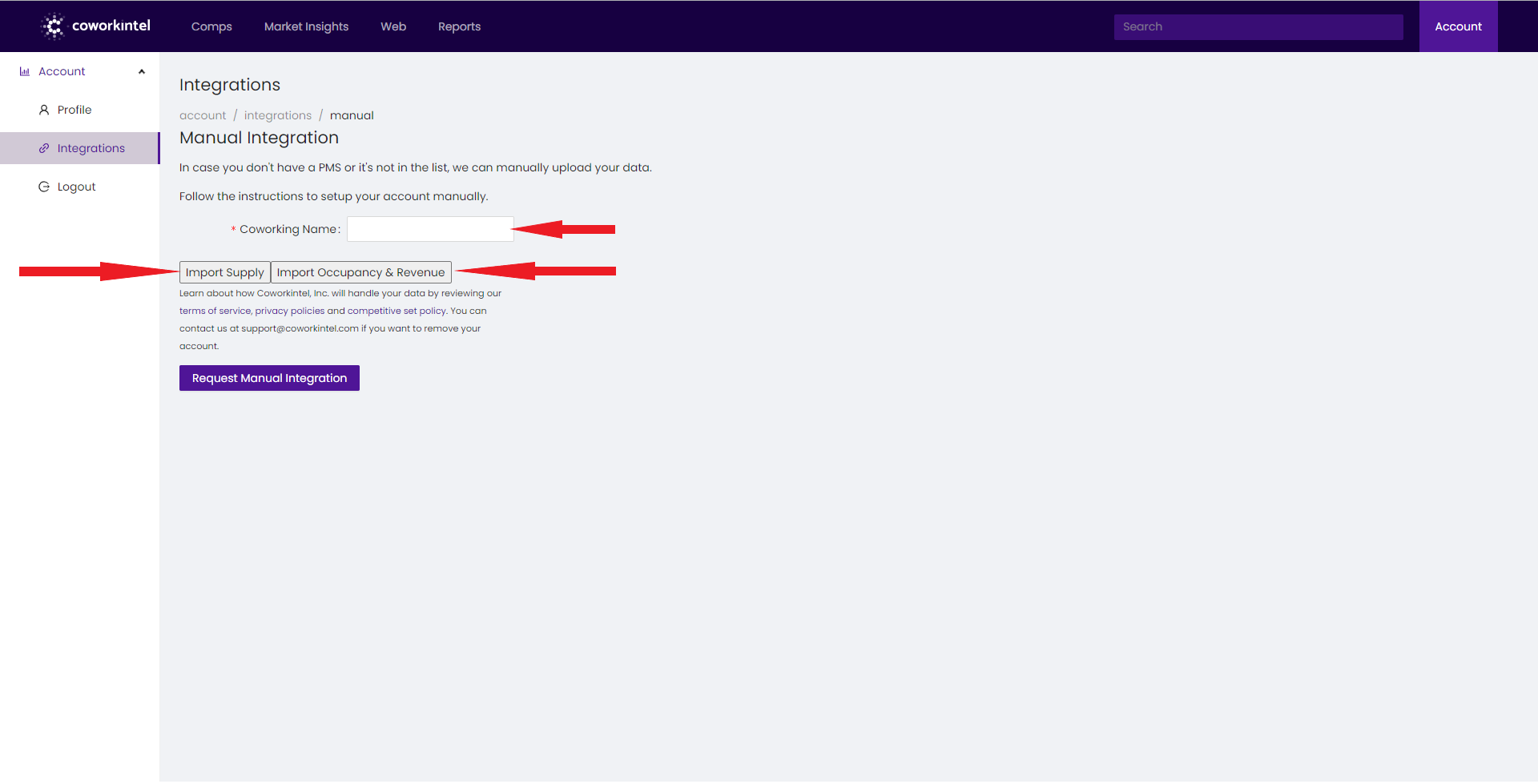
From here you can select to “Import Supply” or “Import Occupancy and Revenue”
A new window will open.
Step 3
You can choose to drag and drop your file or select the file from your computer by clicking on “Download data from file".
You can upload any .csv, .tsv, .xls, .xlsx, .xml, .txt file with any set of columns, as long as it has 1 record per row.
The next step will allow you to match the columns of your spreadsheet to the correct data points.
You will be able to clean or delete any corrupted data before finalizing your report.
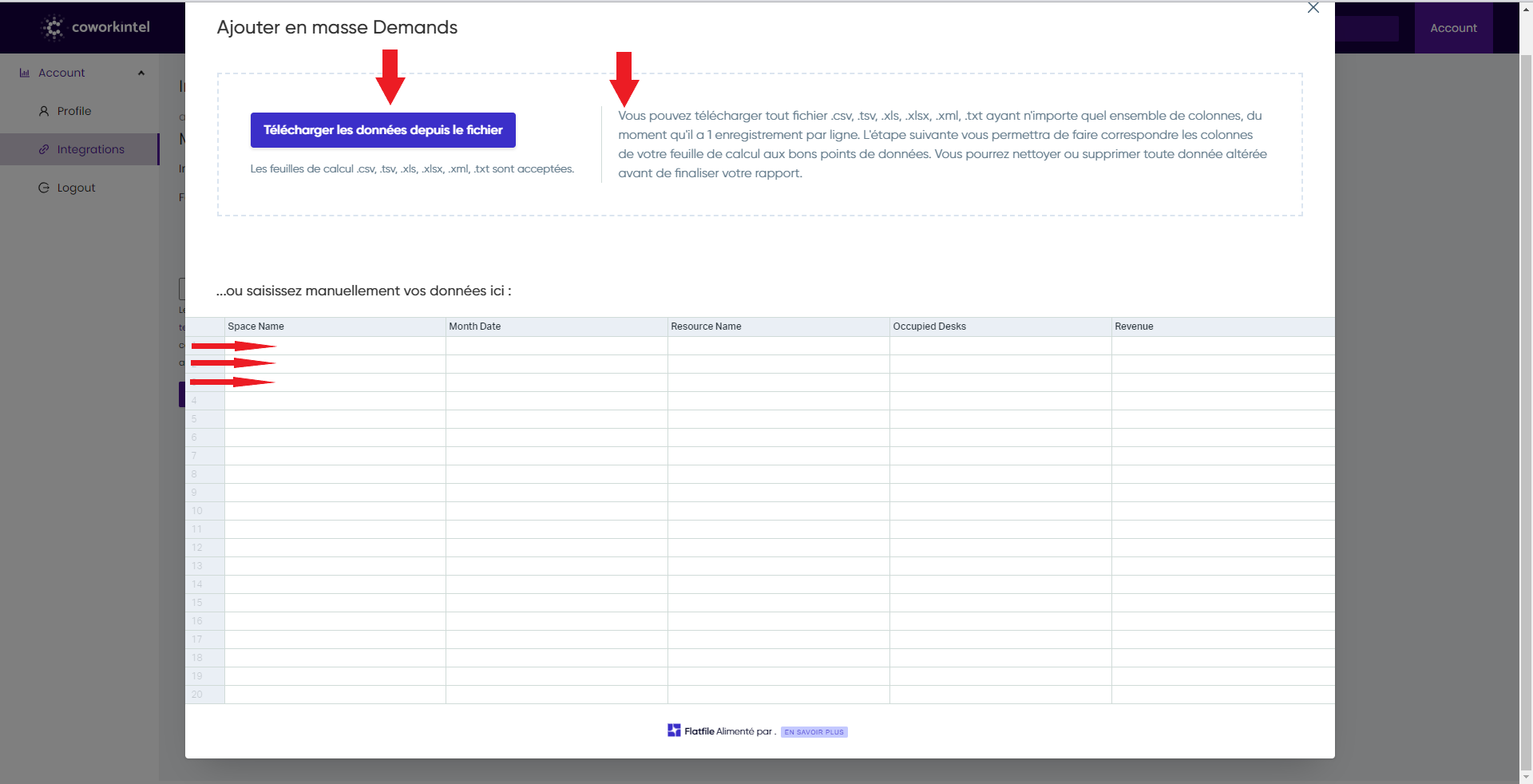
Or you can choose to manually type your data into the empty fields.
Step 4
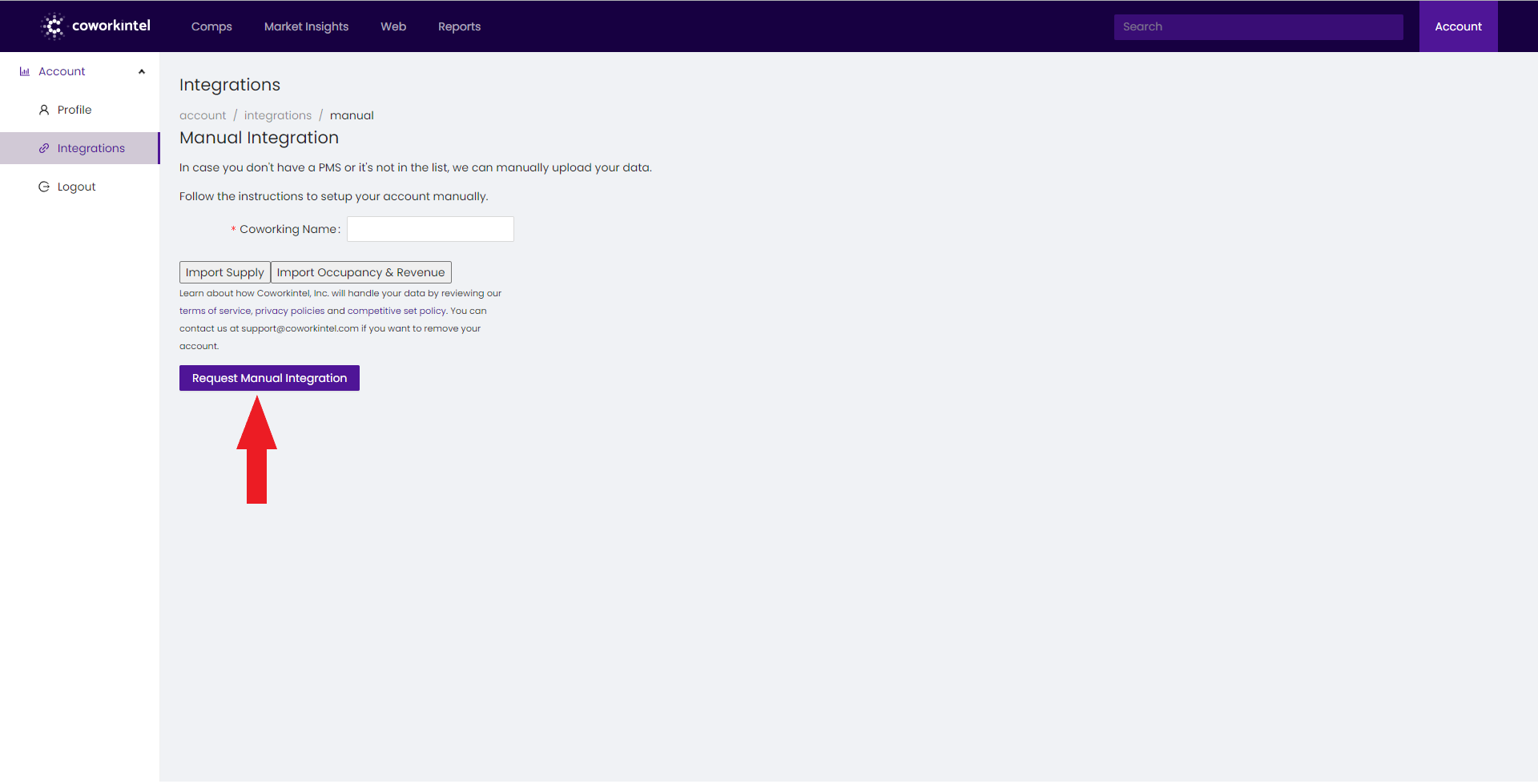
Finally click on "Request Manual Integration"
You are all set!
Alternative:
We have in mind to facilitate this step for you, if you request assistance, we will be glad to handle the manual integration, so please feel free to contact our team at this address support@coworkintel.com
Our team members will recontact you, they will help you set up the file and schedule with you a monthly automation process for data exchange.